Guide · Network security
Network segmentation for a small business.
A separate guest Wi-Fi network is a useful start. Network segmentation also controls which connections are allowed between staff devices, servers and connected equipment. This guide explains how to plan a manageable design around the systems your business needs to protect.
Control which devices can reach each other
A flat network lets devices discover and often contact one another simply because they share the same local connection. That is convenient until an old printer, a visitor's laptop or an inexpensive sensor is compromised. The first device may not contain anything valuable, but it can become a route toward file storage, administration pages or machines that run the business.
Segmentation divides that environment into trust zones and controls traffic between them. A VLAN can create the separation, but the security property comes from the rule enforced at the boundary. If two VLANs are allowed to communicate freely, their different numbers provide organisation, not protection.
The practical aim is modest: a problem in one zone should not automatically become a problem everywhere. The design should also remain understandable to the person who has to repair it six months later. Five purposeful zones with a short rule set are usually safer than twenty mysterious ones copied from an enterprise diagram.
| Useful boundary | False sense of safety | |
|---|---|---|
| Guest access | Internet only; no route to internal devices | A different Wi-Fi name on the same trusted network |
| IoT devices | Only the controller, DNS, time and required cloud service | A VLAN that may reach every office computer |
| Administration | Management interfaces reachable from a managed admin device | Router and switch panels open to the whole office |
| Servers | Specific users and applications reach specific services | Anything internal is treated as trusted |
Map assets and flows before changing the network
Start with an inventory that is small enough to finish. List the router, switches, access points, computers, phones, printers, cameras, sensors, storage devices and any controller or industrial machine. Add the cloud services and remote connections that matter. For each item, record an owner, whether it still receives updates and what would stop if it became unavailable.
Then follow a few real tasks from end to end. A laptop may need to print, reach shared storage and use the internet. A temperature sensor may need only DNS, accurate time and one controller. A guest phone needs the internet and nothing else. The accounting workstation may reach a finance service but should not accept connections from a display screen in reception.
This flow map prevents two common mistakes. The first is blocking a dependency nobody noticed, then removing the boundary under pressure. The second is leaving broad 'allow internal' rules because the required connections were never identified. Unknown traffic should be investigated during a monitored pilot, not permanently allowed just in case.
- What devices and services exist, including forgotten and personally owned equipment?
- Which system initiates each necessary connection, and to which destination and port?
- Who may administer network equipment, storage, cameras and device controllers?
- Which devices cannot be patched or authenticated and therefore need stronger isolation?
- How will the business work temporarily if a boundary blocks something important?
Group devices by their access needs and risks
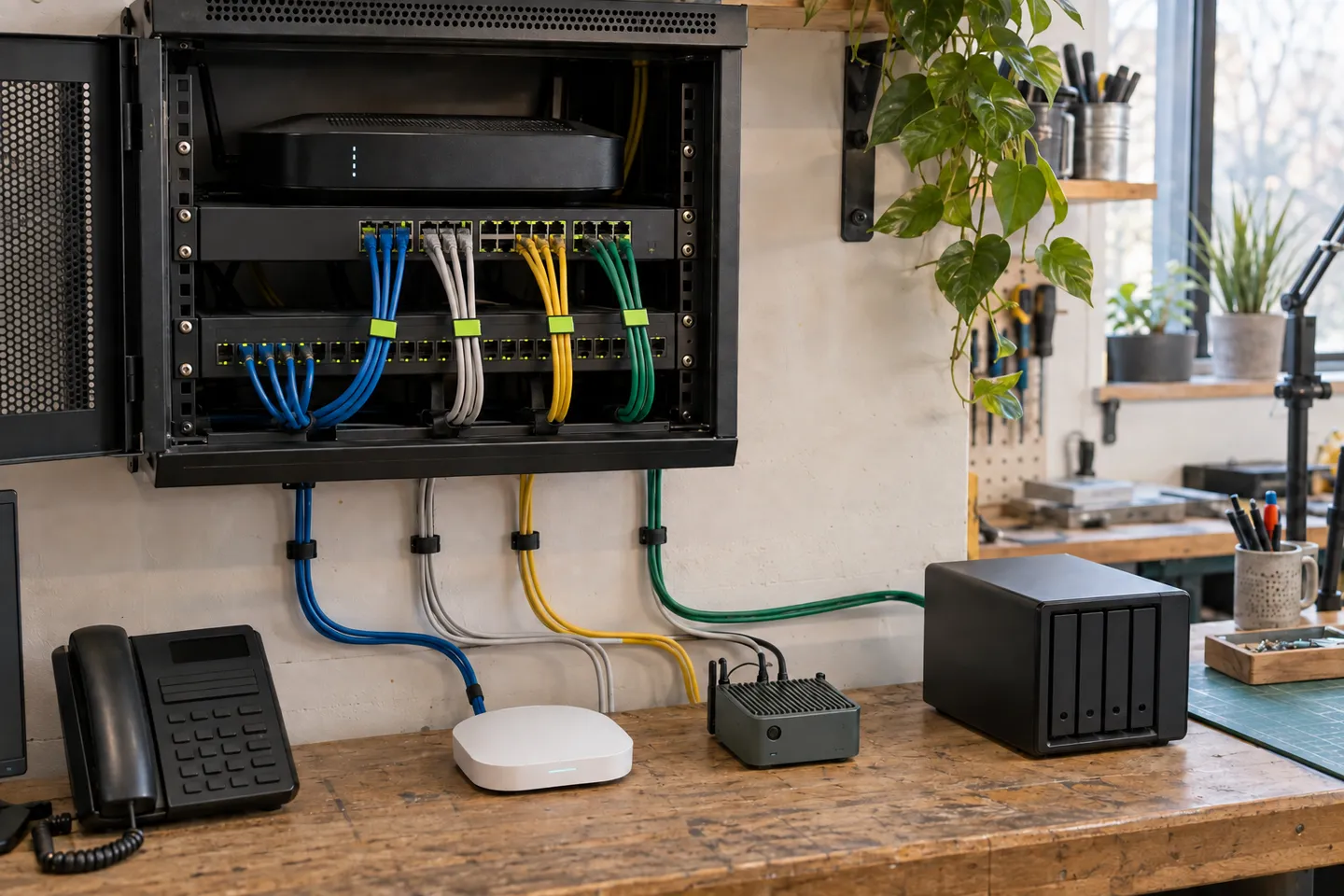
A sensible first design for a small office or workshop often has four or five zones: managed staff devices, guests, connected or IoT equipment, important services, and network administration. Those names describe trust and purpose; they are not a product shopping list. A tiny company may combine staff and services while still separating guests and unsupported devices. A workshop with machinery may need a distinct operational zone even with only ten employees.
Group devices by what could happen if one were taken over and by the connections they genuinely share. A camera and an environmental sensor may both be low-trust devices, but a machine controller that can stop production deserves a different boundary. Likewise, a backup repository should not be reachable with the same rights as the files it protects.
Do not isolate so aggressively that every ordinary change requires a network specialist. Granularity has an operating cost: more rules, more places to diagnose and more chances for undocumented exceptions. Split a zone when it reduces a meaningful risk or clarifies ownership, not because a diagram looks more sophisticated.
- 01 Internet edge Updated router or firewall; no unsolicited administration from the internet
- 02 Staff Managed computers reach approved services and the internet
- 03 Guest Internet access only, with client isolation where supported
- 04 Devices Printers, cameras and sensors reach only their required destinations
- 05 Services Storage, controllers and backups accept narrowly defined connections
- 06 Management Infrastructure panels are available only from an authorised admin path
Write firewall rules as sentences a person can review
For traffic between zones, begin with deny and add the smallest useful exceptions. Write each exception first in plain language: 'managed staff laptops may send print jobs to the office printer' or 'sensors may send measurements to the local controller'. Translate that sentence into addresses, protocols and ports only after the purpose is clear.
Direction matters. A staff laptop initiating a print job does not mean the printer should initiate connections to every laptop. Stateful firewalls normally allow the reply traffic for an established connection without opening the reverse path. Shared infrastructure such as DNS, DHCP and time also needs deliberate treatment; hiding these dependencies inside a broad rule makes later reviews much harder.
Name rules, record why they exist and remove temporary exceptions. If a rule has no owner or nobody can explain the application behind it, investigate before carrying it forever. Exporting or backing up the configuration matters too: a secure design that exists only inside one appliance is difficult to recover and easy to replace with permissive defaults.
- Is the business need known?
- Name the task and owner, not merely a port number.
- Is the direction correct?
- Permit the initiator and required reply, not both zones by default.
- Can the scope be narrower?
- Prefer specific sources, destinations and services.
- Can it be observed and removed?
- Log useful denials, set a review date and document temporary access.
Treat guest Wi-Fi and IoT as different problems
Guests generally need a simple, disposable path to the internet. They should not see internal addresses, printers or one another unless there is a real reason. A router's guest-network option can provide this for a very small site, but verify the behaviour rather than trusting the name: connect a test device and try to reach internal services and another guest client.
Connected devices need a more durable design. A printer may receive jobs from staff; a sensor may report to a controller; a camera may need a recorder and carefully controlled remote viewing. Putting all of them on guest Wi-Fi can fail because guest isolation blocks required local traffic, or because the guest network is managed as a temporary convenience rather than business infrastructure.
Give IoT and operational devices their own credentials where supported, disable unused cloud or discovery features, update firmware and record end-of-support dates. Separation can limit the spread of a compromise, but default passwords and exposed management interfaces still need to be fixed.
If you are planning a first installation, see how to turn a sensor into a useful IoT prototype.
Remote work and cloud services move trust beyond the office
A segmented office network does not make a remote laptop trustworthy. NIST's zero-trust guidance makes the broader point: network location alone should not grant authority. Access to a sensitive application still needs a user identity, strong authentication, an authorised device where appropriate and application-level permissions.
If a VPN exposes the whole internal network, a compromised remote device can bypass much of the careful local separation. Limit remote users to the applications they require, keep the VPN or access gateway updated, use multi-factor authentication and review who still has access. For a small team, publishing one well-protected application through an identity-aware service may be simpler than granting general network access.
Cloud systems deserve the same flow map. Ask who can administer them, what identities services use, where backups live and whether a local device truly needs a permanent credential. Segmentation is one layer in a design built from identity, patching, protected endpoints, backups and monitoring—not a replacement for them.
To review those clients’ credentials, see why an app must not store server secrets.
Pilot one boundary and prove it from both sides
Do not redesign the whole network during a busy afternoon. Start with the clearest low-risk boundary, often guest access or a small group of sensors. Save the current configuration, schedule a rollback window and move a few representative devices. Test the work that must succeed and the connections that must fail.
A useful test plan is written from both sides: a guest can browse the web but cannot open the printer; a sensor can reach its controller but cannot reach file storage; a staff device can use the printer but cannot administer the switch. Check name resolution, software updates and time synchronisation as well as the visible business task. Review logs for unexpected denials without turning every blocked broadcast into an incident.
Finish with a one-page diagram, the purpose of each zone, the approved flows, recovery access and the owner of the configuration. That small operational record is more valuable than a beautiful diagram nobody maintains. Expand to the next boundary only when the first one survives ordinary work and somebody other than its designer can understand it.
Sources and further reading
- UK National Cyber Security Centre · Network security fundamentalsAsset inventory, segmentation, remote access and monitoring principles for organisations.↗
- NIST SP 800-207 · Zero Trust ArchitectureWhy network location alone should not create implicit trust.↗
- NIST SP 800-215 · Secure Enterprise Network LandscapeNetwork security patterns including firewalls, microsegmentation and remote access.↗
- BSI · Schritt für Schritt zum Gäste-WLANPractical German guidance on separating guests and connected devices.↗
Questions before we start
Does a VLAN make a network secure?
Not by itself. A VLAN creates a separate Layer 2 broadcast domain, but a firewall, access-control list or equivalent policy must control what may cross between zones. Two VLANs with an unrestricted route between them are organised, not meaningfully isolated.
How many network segments does a small business need?
There is no fixed number. Begin with consequences and required flows. Staff, guests, low-trust devices, important services and administration are a useful starting model, but a very small office may need fewer and a workshop with operational equipment may need more.
Should printers and IoT devices use the guest Wi-Fi?
Only if the guest network provides the required isolation and the devices need no controlled local connections. Printers, controllers and cameras often need specific internal flows, so a dedicated device zone is usually easier to govern than a guest network designed only for internet access.
Is network segmentation the same as zero trust?
No. Segmentation can limit movement and enforce useful boundaries. Zero trust also removes implicit trust based on location and evaluates identity, device state, policy and the requested resource. A segmented network can support that approach without being a complete zero-trust architecture.