Spreadsheets and internal tools
Automate Excel or build an internal tool?
Keep the spreadsheet when you need to explore data and change calculations. Automate around it when copying data is the problem. Consider an internal tool when you need to control access to individual records, coordinate status changes and recover from mistakes. Row count alone does not decide.
Separate the calculation from the workflow
One workbook might forecast sales, assign orders, record payments and notify the warehouse. These are different jobs. Calculations that change every week can stay in Excel even if order handling needs a more controlled system.
Follow one record from start to finish: who creates it, what each status means, who can change it and what happens when information is missing. Before commissioning software, record where people wait, duplicate entries or make corrections. This identifies which part is worth changing.
- Calculations change frequently
- Organise the workbook and keep its flexibility.
- The same data is copied every day
- Try an import or an integration.
- Different roles need different access
- Evaluate a system with testable permissions.
- An existing product fits the workflow
- Try configuring it before commissioning development.
When the spreadsheet is still the right tool
For exploratory budgets, forecasts and occasional analysis, flexibility is often an advantage. Keep the spreadsheet when an accountable owner understands its rules, errors can be found and corrected, and everyone with access is entitled to see the data it contains.
Start with housekeeping: one record per row, a stable identifier, inputs separated from formulas, explicit statuses instead of colours and one shared working location. Document the columns and name the person who maintains the file. If this solves the problem, an application is unnecessary.
Check the collaboration options available in your tool and account before blaming every conflict on spreadsheets. Multiple people can work in a shared workbook; the question is whether that collaboration respects your workflow rules.
When automation around the sheet is enough
A form can collect consistent inputs; an import can remove order copying; an export can feed a report. Decide which system holds the authoritative record and which direction the data travels. Two-way synchronisation needs conflict rules, not just two scripts.
Every run should leave a result somebody can inspect: records processed, records that failed and who receives the alert. Use a stable identifier and check whether a record has already been processed before creating it. This lets you repeat the import without creating another order. Test an interruption halfway through a batch before trusting it with daily work.
Platforms impose limits. Apps Script applies quotas and can stop execution when they are exceeded; Office Scripts has limits that depend on the environment and its use with Power Automate. Check the documentation for your account and workload rather than sizing from a small test alone. Microsoft Graph recommends sessions for related operations where appropriate and avoiding concurrent writes to the same workbook.
- Google: Apps Script quotas
- Microsoft: Office Scripts platform limits
- Microsoft Graph: Excel API best practices
To choose the first workflow and decide how to measure it, read how to start automating a business process.
Permissions and states are the stronger warning signs
The clearest signal is that the file must enforce rules: technicians should see only their own jobs, an approved order cannot be freely edited, or a bank-detail change requires review. Hiding columns or sending filtered copies does not create an authorisation system.
Microsoft distinguishes worksheet protection from file security: locking cells helps prevent changes, but is not designed as a security boundary. The documentation reviewed on 7 October 2026 maintains that distinction.
An internal tool lets you design record-level permissions, state transitions and a history of changes. A database does not provide these automatically. Include them in the scope and test each role with its own account, checking that prohibited actions are rejected even outside the usual screen.
A worked example: scheduling visits without rebuilding Excel
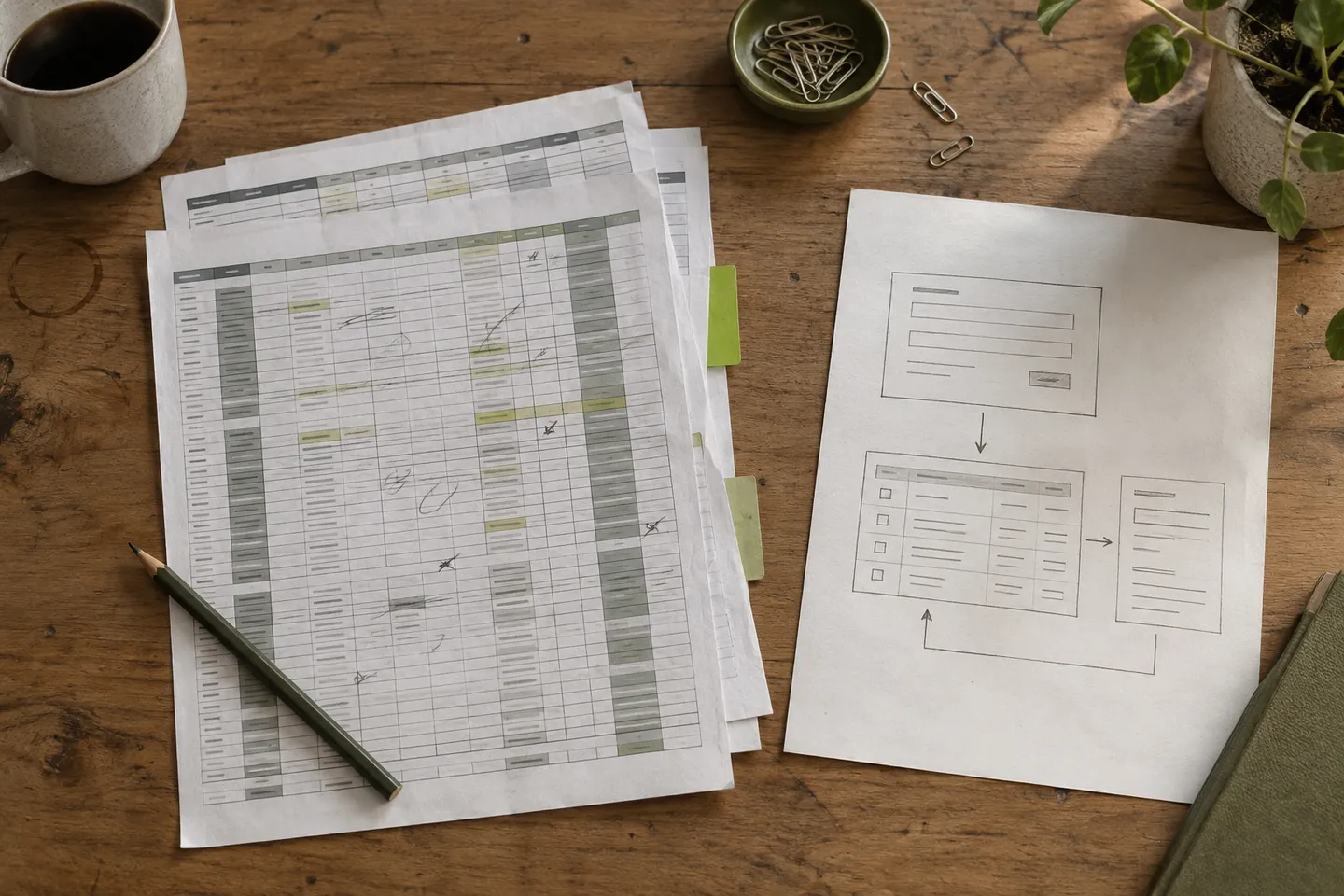
Fictional example: a maintenance company manages visits in a shared workbook. The office assigns technicians and dates; each technician receives a copy; another sheet calculates forecasts. Rescheduling a visit makes the copies disagree.
The first version could own only the visit ID, customer, address, agreed time slot, technician and status. The office assigns work; technicians see their visits and record the outcome. If two people change the same assignment, the system raises a conflict for review instead of silently overwriting an update.
Forecasting stays in Excel through a read-only export. Invoicing, route optimisation and offline working remain outside this first version. If technicians need to work without a connection, that changes the scope and must be addressed before the pilot.
- 01 Intake The office creates a visit with a stable ID.
- 02 Assignment Permissions and simultaneous changes are checked.
- 03 Outcome The technician updates their own visit.
- 04 Analysis Excel receives an export; it does not reassign visits.
Compare existing software, configuration and custom development
Before building, test whether your CRM, ERP or an existing management application handles the entire workflow, including exceptions. Standard software may be the best choice when its rules fit. A configurable tool may suit a simple workflow if its permissions, exports and integrations are sufficient.
Custom development becomes more useful when an important rule does not fit the available options or an integration constrains the work. Compare maintaining the spreadsheet and correcting mistakes with the alternative’s licences, setup, migration, training, support and maintenance. There is no universal row count or promised saving that justifies the switch.
Ask for a trial covering a normal case and a difficult one: a duplicate order, missing information, a user without permission or an unavailable integration. Also check how to retrieve all your data if you change providers.
To agree what that trial should demonstrate, compare a demo, a prototype and an MVP.
Migrate with one place to make changes
Prepare a test copy with anonymised or synthetic data. Check identifiers, duplicates, dates, formulas and required fields. Matching row counts does not prove that a migration is correct: also compare statuses, relationships and a sample of complete records.
During testing, keep the current system authoritative and use the new one to compare results. Do not let both accept independent operational changes. For the live pilot, set a cutover date and decide which system accepts writes; leave the old one available for reference.
Agree what happens if the new system fails: who authorises a rollback, which export or backup to restore and how to reconcile changes made after cutover. Rehearse recovery. An old file is insufficient if it lacks visits created since then.
- Data: every record retains its identifier and differences in counts are explained.
- Permissions: each role can do its work and cannot access other people’s restricted records.
- Retries: repeating an import does not duplicate operations, and a failure alerts a person.
- Continuity: pending work can be consulted and changes recovered through a tested procedure.
What to prepare before asking for a quote
Bring a sample file without sensitive information, the journey of one record, the roles involved and three mistakes that currently waste time. Add essential integrations and the person responsible for maintaining the system. This is more useful than a list of screens.
Measure a representative period before and during the pilot: reconciliation time, duplicates, corrections and blocked tasks. Agree which improvement would justify the switch and who will check it. If tidying the spreadsheet or buying existing software solves the problem, accept that result.
Sources and further reading
- Microsoft: protection and security in ExcelDistinguishes cell protection, workbook structure and file access.↗
- Google: Apps Script quotasExecution limits and what happens when service or account quotas are exceeded.↗
- Microsoft: Office Scripts platform limitsEnvironment restrictions and considerations for Power Automate.↗
- Microsoft Graph: Excel API best practicesSessions, errors and concurrency when working with workbooks through the API.↗
Questions before we start
How many rows are too many for Excel?
There is no universal threshold. Calculations, the volume of changes, integrations and the consequences of mistakes matter. A small workbook with inadequate access controls may need more attention than a large analysis file.
Can I keep using Excel after building an internal tool?
Yes. It can receive exports for analysis and forecasts. Define which system owns each piece of data and prevent an export from becoming a second uncontrolled editing route.
Does worksheet protection separate employee access?
Cell protection prevents certain changes; it does not replace data access permissions. If employees must see different records, you need a solution that enforces that access and tests for each role.
Does this require a custom application?
Not always. First review the workbook structure, simple automations and software you already use. Custom development makes sense when those options cannot meet important requirements and you can support its ongoing maintenance.